
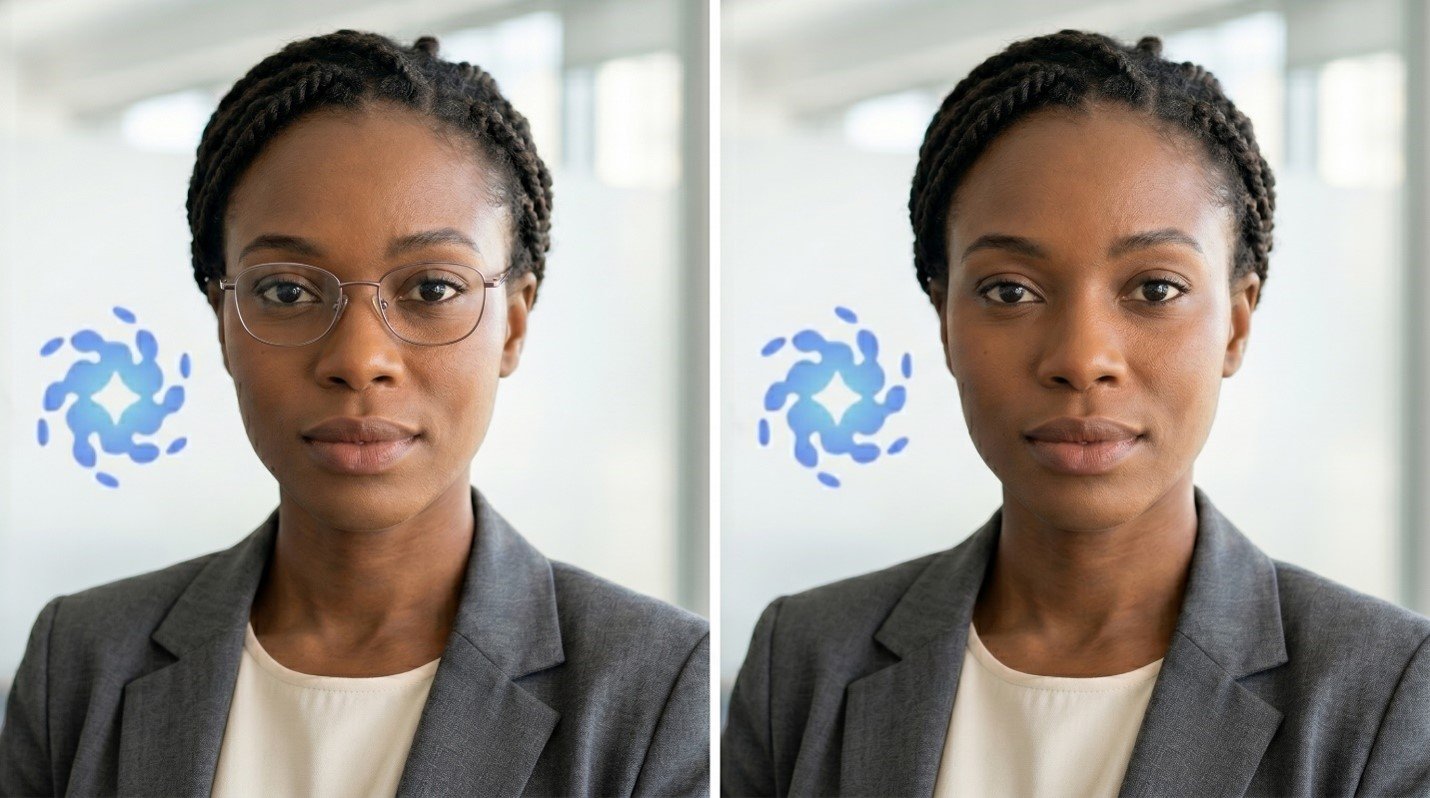
In recent years, photo editing technology has improved a lot, making it easier for users to edit images with just a few clicks. A common task is removing glasses from photos. This allows for different versions of portraits, enhances professional headshots, or lets people try out different looks. AI editing tools simplify the process.
In the past, removing glasses was a difficult and time-consuming task that usually required a skilled editor and a lot of patience. Nowadays, AI tools can automatically detect glasses and recreate facial features, resulting in a more realistic final product.
One such tool is Vidmud AI Photo Editor. Its AI-powered editing features and user-friendly interface let anyone make realistic edits without needing professional photo editing skills.
This tutorial will guide you on how to use Vidmud AI Photo Editor to easily remove glasses from photos.
Why Remove Glasses from a Picture?
There are many reasons someone might want to remove glasses from an image.
For professional profile photos, having clear facial features looks better. Some may want to see how they look without glasses before making a real-life change. Others might simply want to edit photos for artistic projects, social media, or digital art.
In any case, the goal is usually the same: to achieve a natural-looking result that doesn’t appear overly edited.
What Makes AI Editing Better?
Traditional photo editing methods often required manually removing glasses and redrawing facial features with clone and healing tools. This can be tricky, especially around the eyes, eyebrows, and skin tone.
AI-powered editors have changed this process. Instead of manually fixing everything, AI can analyze the surrounding facial features and create realistic alternatives for areas hidden by glasses.
This means the final photo looks more natural and requires much less effort.
Step 1: Open Vidmud AI Photo Editor
First, open Vidmud AI Photo Editor in your browser.
The site is web-based, so you don’t need to install any complicated software. Its user-friendly interface suits both beginners and professionals.
The editor will load, and you can start editing your image right away.
Step 2: Upload Your Photo
Next, upload the photo you want to edit.
Choose a picture with glasses that you want to remove. The best images are high-quality, well-lit, and showcase a clear face. The clearer the image, the more accurate the AI edits will be, especially if the glasses are easy to see.
Upload the image and let the editor process it.
Step 3: Use the AI Removal Tool
Once you’ve selected the glasses, turn on the AI removal feature.
The system will now process the image and work to reconstruct the facial details hidden by the glasses. This usually includes creating skin texture, rebuilding eyebrows, and reshaping eye contours.
Since AI looks at facial details nearby, the result integrates seamlessly with the overall portrait.
Step 4: Check the Results
After processing, carefully examine the modified image.
Pay extra attention to the eyes, nose, and eyebrows, as these areas can be hard to edit. If needed, repeat the process or make small adjustments for a more realistic look. Many AI tools allow you to regenerate results for increased accuracy.
Final touch-ups are covered in Step 6.
Step 5: Make Final Enhancements
Once you’ve removed the glasses, consider making further improvements to the image.
Simple changes, like brightening facial features or adding detail to skin tone, can significantly enhance the overall look.
These refinements aren’t required but can greatly improve the final image.
Step 6: Download the Edited Image
When you’re satisfied with your edits, save the image to your device.
Now you have a version without glasses that looks natural.
This entire process is usually quick, taking only a few minutes, which is much faster than manual retouching.
Tips for More Natural Results
The quality of the original image plays a big role. The best photo editing results often come from clear, high-resolution images.
Good lighting helps AI accurately identify facial features. You may need to make adjustments for images with strong shadows, reflections on the glasses, or partially hidden faces.
Whenever possible, use the highest quality photo available.
Conclusion
You no longer need specialized skills to remove glasses from photos. With tools like Vidmud AI Photo Editor online, users can achieve natural-looking images easily and with minimal effort.
Just upload a portrait, select the glasses, and AI will reconstruct the rest of the face in minutes making it possible for anyone to transform their photo quickly. Whether you’re updating a professional headshot, refreshing social media images, or simply curious about a new look, AI editing offers a simple and effective solution.
Getting a realistic glasses-free photo is easier than ever with the right image and a few simple steps.
