
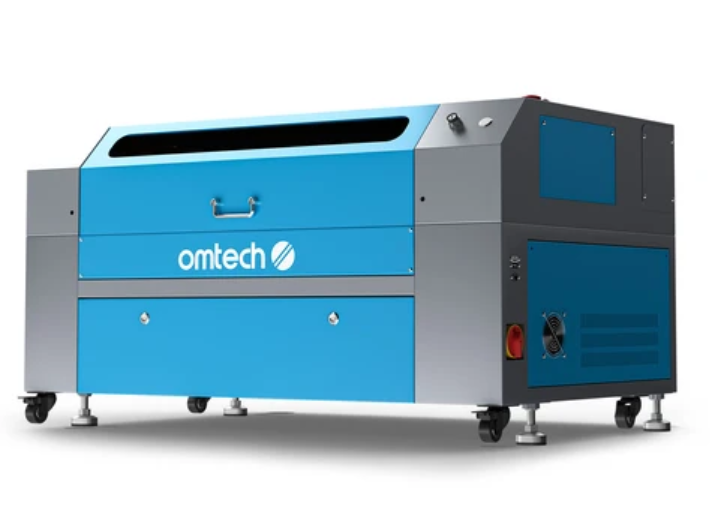
The landscape of modern digital crafting, small-scale manufacturing, and personalized business merchandising has evolved dramatically over the past few years. Gone are the days when utilizing a heavy-duty cutting system required a massive industrial workshop layout. Today, creators, hobbyists, and growing entrepreneurs can harness industrial-grade precision right from a compact studio desk.
If you are looking to scale your production capabilities, launch a custom gift line, or prototype intricate architectural designs, choosing the right equipment is critical. Investing in a high-performance CO2 laser engraver can bridge the gap between creative ambition and commercial success.
Among the most popular options transforming desktop fabrication today is the advanced OMTech Polar 50W Desktop CO2 Laser Engraver:, a machine engineered specifically to balance footprint efficiency with raw cutting velocity.
Why Compact Desktop Lasers Are Revolutionizing Small Businesses
Traditional laser systems are often notoriously bulky, loud, and complicated to configure within a residential studio or boutique storefront. Modern desktop units have completely disrupted this dynamic by packing serious thermal energy and optical precision into sleek, enclosed chassis structures.
When evaluating a desktop machine for professional or hobbyist use, several core advantages stand out:
- Space-Saving Footprint: Modern desktop units integrate water-cooling systems, exhaust fans, and internal electronics into a single compact housing, making them ideal for limited studio layouts.
- Material Versatility: A reliable CO2 system can process an extensive array of non-metallic materials, including hardwoods, acrylic sheets, leather, anodized metals, fabric, slate, and glass.
- Rapid Production Speeds: High-acceleration motors enable engraving speeds of up to 500 mm/s, ensuring that batch-processing personalized merchandise is both fast and cost-effective.
Core Features to Look For in a Modern Laser System
To get the absolute best return on investment, you need to look beyond raw wattage and inspect the operational features that streamline daily workflow. Machines equipped with smart technologies drastically reduce setup time and minimize material waste.
1. One-Click Autofocus and Real-Time Preview
Manually dialing in focal lengths using physical gauge blocks can slow down production lines. Advanced systems feature motorized autofocus mechanisms that calibrate focal height directly through the software interface with a single click. Combined with integrated workspace cameras, operators can overlay designs onto real-time displays of their raw stock, ensuring pinpoint accuracy before the job even starts.
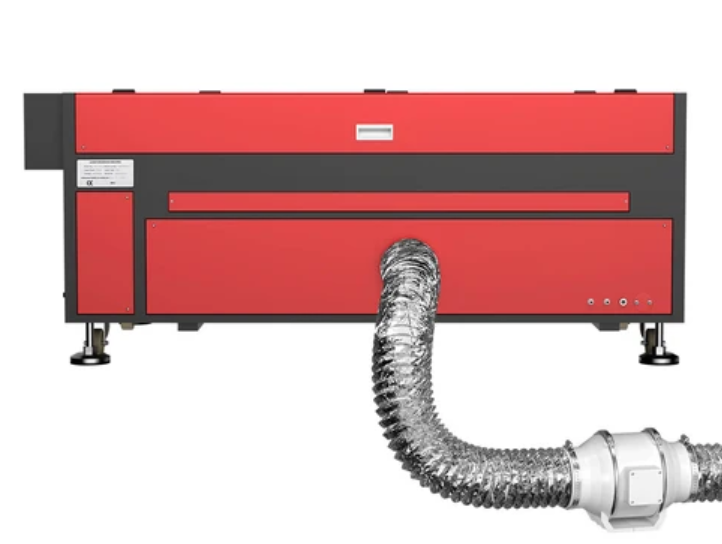
2. Pass-Through Capabilities for Larger Projects
Standard enclosed beds can sometimes restrict the dimensions of your raw stock. Front and rear pass-through slots allow longer, oversized panels to slide through the machine body, expanding your creative boundaries beyond standard bed constraints.
3. Integrated Rotary Axis Compatibility
If your product line includes cylindrical items such as tumblers, mugs, wine glasses, or aluminum water bottles ensuring your machine supports a rotary attachment is essential. True 360-degree rotary engraving opens up massive merchandising opportunities for seasonal gifts and drinkware.
Essential Tips for Maintaining Your Laser Cutter
Proper upkeep ensures your machine operates at peak performance and extends the lifespan of critical components like the laser tube and optical mirrors.
- Clean Optics Regularly: Smoke, resin residue, and dust accumulate on the focusing lens and mirrors during cutting. Wipe them gently using optical-grade cleaning wipes and isopropyl alcohol to maintain laser intensity.
- Monitor Cooling Fluid: Always ensure your water tank or internal chiller maintains adequate fluid levels and correct operating temperatures to protect the glass or RF laser tube from overheating.
- Optimize Air Assist Flow: Proper air pressure blows away combustible gases and debris instantly, preventing flare-ups and keeping cut edges clean and free of excessive charring.
Frequently Asked Questions (FAQs)
What materials can a desktop CO2 laser cutter process?
CO2 lasers excel at cutting and engraving organic and non-metallic materials, including wood, acrylic, leather, fabric, paper, rubber, cork, and glass. They can also mark coated or anodized metals using specialized marking sprays or pastes.
Do I need an external ventilation system for a desktop laser?
Yes. Laser processing generates smoke, fumes, and microscopic particles that must be exhausted safely outdoors or filtered through a dedicated inline air filtration unit (such as a fume extractor) to maintain a safe indoor working environment.
What is the difference between manual focus and autofocus?
Manual focus requires you to use a physical tool or spacer block to adjust the bed or laser head height manually. Autofocus automates this process via software sensors, calculating the exact focal distance instantly to save time and reduce human error.
Can I engrave curved or cylindrical objects?
Yes, provided the machine is compatible with a rotary axis attachment. The rotary mechanism rotates cylindrical items like cups and bottles in sync with the laser head, allowing seamless 360-degree wraps.
What software is typically used to operate these laser machines?
Most professional desktop laser cutters are compatible with industry-standard software packages like LightBurn and RDWorks, giving users robust vector design control, precise power mapping, and real-time job monitoring.
Conclusion
Investing in a versatile desktop laser system is one of the most impactful steps a creator or small business owner can take. By eliminating the hurdles of bulky industrial setups and embracing smart automation features like autofocus, built-in cameras, and high-speed vector tracking, transforming raw materials into profitable masterpieces has never been easier. Whether you are engraving custom leather goods, cutting complex acrylic displays, or personalizing drinkware, the right tool empowers your workflow to scale efficiently and professionally.
